Product overview

One research path. Six connected surfaces.

Finrival does not split discovery, comparison, news, monitoring and AI into separate disconnected tools. The product keeps them in one mobile workflow, and the visuals below are aligned to the recovered app structure rather than to a generic fintech concept.

Market / News / Compare / Rival / Watchlist / AI Source-matched website previews Compact mobile-first story
This page only uses modules Finrival actually has today: Market, News, Compare, Rival simulation, Watchlist / alerts and the global Finrival AI layer.
Recovered app flow
Start broad, narrow fast.
Discovery starts on Market, moves into Compare or News, then carries context into Watchlist or Finrival AI.
Top Gainer / Top Dip AI Battle Report Alerts V-Trade Simulator
Market Top
Top Gainer NVDA +3.8%
Top Dip TSLA −2.1%
Daily Liquidity Verified session
$18.6B US cash
Market Signal Top gain / top decline
AI Analyze Next scan 2h
Rival View Wealth Simulator
Compare Global Rivalry
NVDA NVIDIA Corp. $— • ▲ %—
VS
MSFT Microsoft Corp. $— • ▲ %—
AI Battle Report Compare-specific insight
Price Momentum Dual Pro charts
Finrival AI FREE AI • 5 DAILY REQUESTS
Context-first: the assistant keeps the current market or compare context attached before you ask the next question.
Explain why the top gainer is leading today and what market structure supports the move.
Ask Finrival AI...
Inside the app

What the product actually contains.

The cards below describe the real Finrival surfaces and echo how they appear in the recovered website phone replica.

01 · Market

Discovery starts on the home tab.

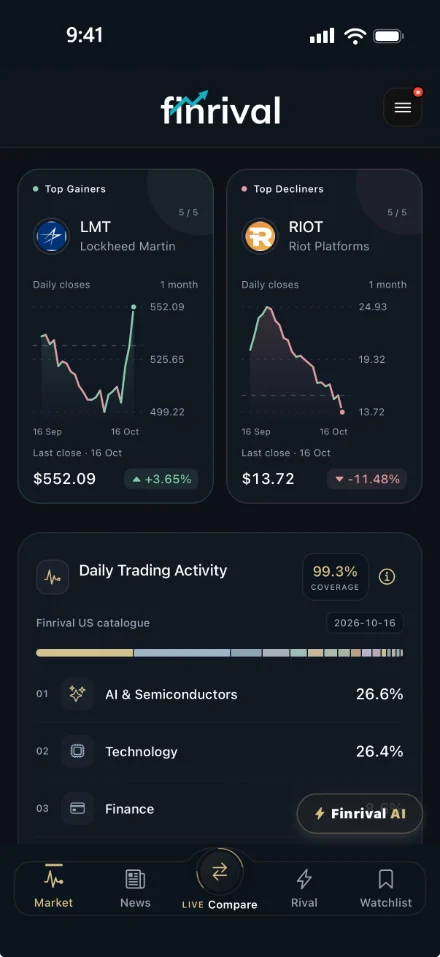
MarketScreen is the first layer. It carries the shared app shell and opens with spotlight cards, liquidity context, anomaly context, sessions and the all-assets list.

Top Gainer / Top Dip spotlight cards Daily Liquidity + market freshness context Search and all-assets browsing
Market Top
Top Gainer NVDA +3.8%
Top Dip TSLA −2.1%
Daily Liquidity Verified session
$18.6B US cash
Market Signal Top gain / top decline
AI Analyze Next scan 2h
02 · News

News stays compact and time-aware.

News uses a timeline-like card layout with source and time context, then provides a path into AI follow-up without pretending to be a live terminal.

Top / Stocks / Crypto category strip Source and time context on each story AI follow-up path
News Top • Stocks • Crypto
US EQUITIES 12 min

Semiconductor leaders advance as AI demand remains firm.

Positive AI Insight
GLOBAL MACRO 31 min

Cross-asset volatility stays contained while policy signals are digested.

Neutral Source + Time
03 · Compare

Compare keeps two assets in the same frame.

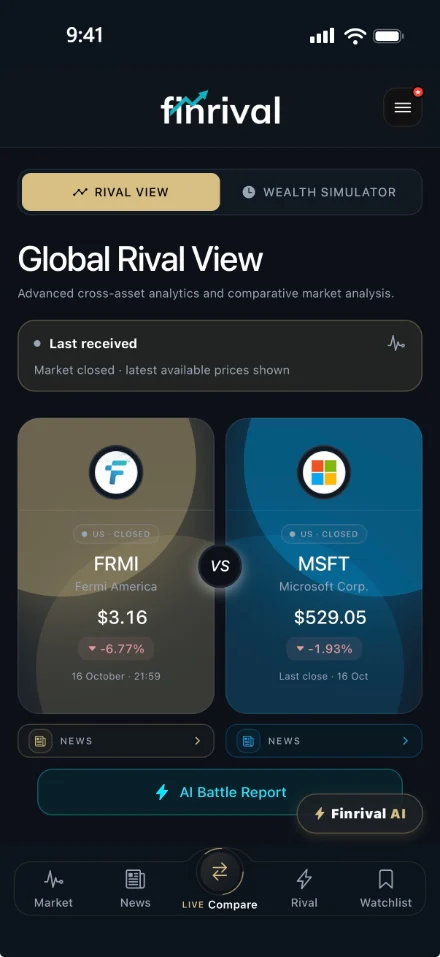
The Compare tab is emphasized in the navigation and opens Rival View plus Wealth Simulator, with defaults grounded in the recovered compare structure.

Rival View + Wealth Simulator modes Global Rivalry default: NVDA vs MSFT AI Battle Report and dual Pro charts
Rival View Wealth Simulator
Compare Global Rivalry
NVDA NVIDIA Corp. $— • ▲ %—
VS
MSFT Microsoft Corp. $— • ▲ %—
AI Battle Report Compare-specific insight
Price Momentum Dual Pro charts
04 · Rival

Simulation is intentionally separate.

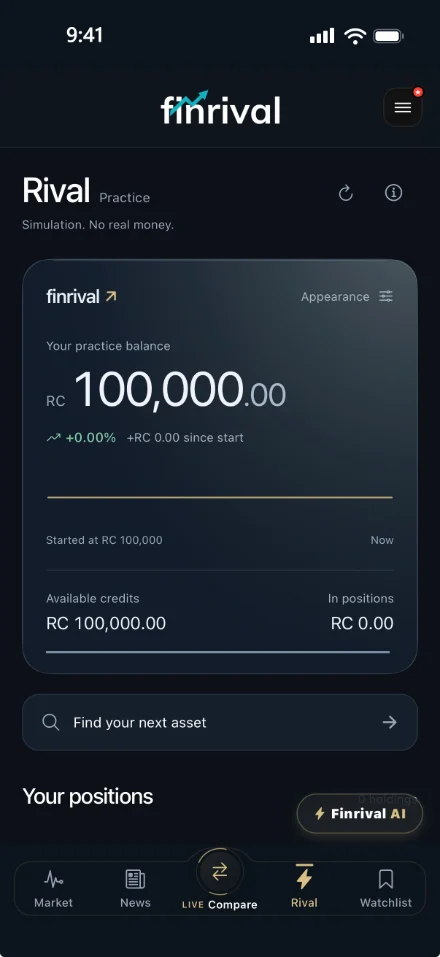
Rival uses gold treatment and fictional credits so it never reads like a real brokerage flow. It is a simulation surface, not a live-money trading venue.

V-Trade Simulator presentation Fictional Rival Credits only Practice positions and activity
V-Trade Simulator
Rival Simulation
Rival Credits Fictional capital only
125,000 RC No real broker link
Open Positions Practice portfolio
3 trades Tracked in-app
05 · Watchlist

Monitoring stays in a dedicated tab.

Saved assets, alert entry points and user-specific price alerts live here. Alerts are reference-price helpers built around shared caches, not execution tools.

Saved assets list One-time reference-price alerts Native push path on iOS / Android
Watchlist Saved assets
AAPL Alert enabled
$— Bell set
BTC Price reference
$— One-time alert
User-specific Price Alerts Shared cache prices
Web + native path Not broker execution
06 · Finrival AI

AI sits above the tabs as a global layer.

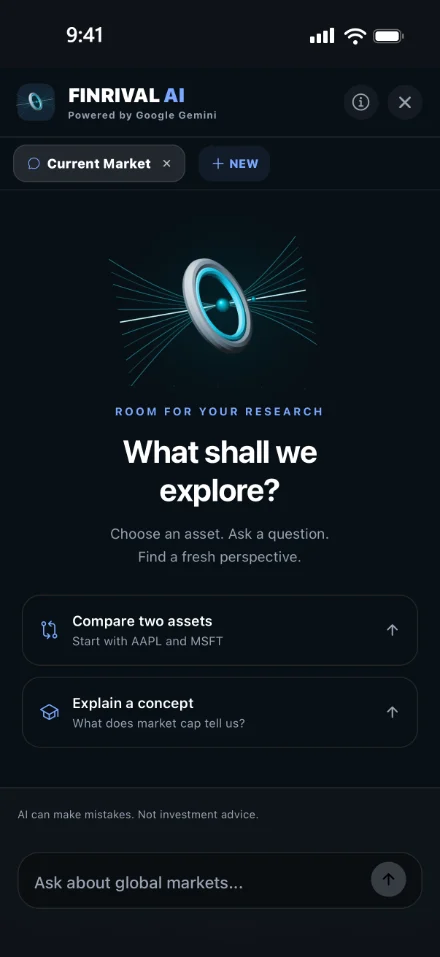
The assistant is not another fake tab. It opens above the main navigation and carries the current screen context forward into the next question.

Asset insight + general chat paths Context attached from screens Quota-aware free usage and PRO expansion
Finrival AI FREE AI • 5 DAILY REQUESTS
Context-first: the assistant keeps the current market or compare context attached before you ask the next question.
Explain why the top gainer is leading today and what market structure supports the move.
Ask Finrival AI...
Connected workflow

Discover. Compare. Understand. Monitor.

This is the shortest honest description of the product: find what matters, inspect it in context, continue the question and keep the important assets close.

01 · Discover

Market and News

Start with market movement, liquidity, sessions or a story that needs follow-up.

02 · Compare

Compare or Rival

Move from a broad idea into side-by-side structure, simulation or relative context.

03 · Understand

Finrival AI

Keep the context attached when you ask for a short explanation or follow-up insight.

04 · Monitor

Watchlist

Save the assets that still matter and set reference-price alerts where useful.

Finrival is being prepared for mobile release.

App Store and Google Play availability stay clearly marked as coming soon while the product and the core app continue to be completed.